04 Jul
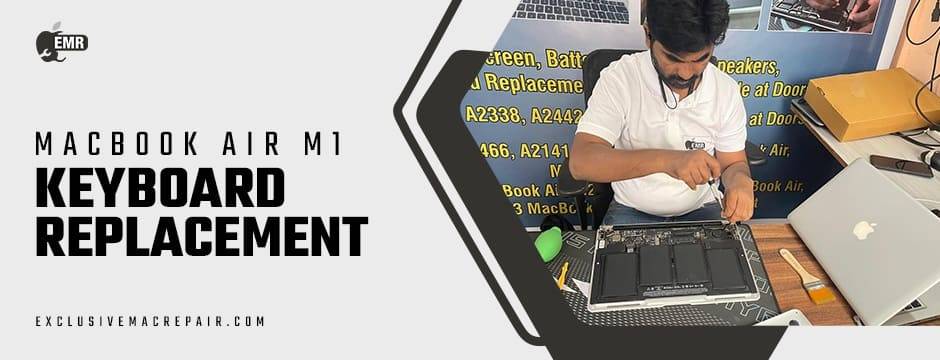
The MacBook Air M1 is celebrated for its sleek design, silent performance, and groundbreaking Apple Silicon chip. But no matter how advanced the hardware, consistent daily usage eventually takes a toll, especially on the keyboard. Whether you’re a writer, designer, or casual user, your keyboard is one of the most-used (and abused) parts of your MacBook. Over time, even minor issues can grow into frustrating problems that impact productivity and performance.
Stuck keys, inconsistent responses, or random characters appearing on the screen are more than minor inconveniences—they may be signs of a MacBook Air M1 Keyboard Replacement issue. Ignoring these symptoms can lead to more expensive repairs or irreversible damage. If you need expert MacBook keyboard diagnostics or a seamless replacement experience, Exclusive Mac Repair is your go-to destination. With years of Apple device expertise and fast turnaround times, we ensure your MacBook Air M1 is back to peak performance without unnecessary delays.
Sticky or Unresponsive Keys
The most common and immediate sign that your MacBook Air M1 keyboard needs attention is when keys stick or fail to respond properly. You might notice that some keys:
- Take extra pressure to register a command
- Don’t respond at all
- Feel physically sticky or sluggish when pressed
Spilt liquids, food crumbs, or dust can lead to this problem. But sometimes, it’s an internal issue like a faulty keyboard membrane. At this point, replacing individual keys may not suffice—a full keyboard replacement from a reliable provider like Exclusive Mac Repair is your best bet for restoring full functionality.
Repeating Characters Without Input
Is your keyboard typing eeeeee or qqqq without you even touching the keys? That’s not a ghost—it’s a faulty key switch mechanism or logic board malfunction. The MacBook Air M1’s low-travel keyboard is compact and precise, but even the smallest damage to a component can result in phantom key presses.
This type of issue can interfere with emails, documents, code, and even passwords, leading to time-wasting corrections. Instead of wasting time trying DIY fixes, head to us where certified technicians can quickly diagnose whether a simple repair or full keyboard replacement is necessary.
Certain Keys Not Working at All
If specific letters like “A,” “S,” or “E” stop working, it drastically affects your typing efficiency. This can be due to:
- Wear and tear
- Damaged keycaps or underlying switches
- Moisture damage
Replacing a few keys might work in the short term, but if multiple keys are affected, a complete keyboard replacement is usually more cost-effective in the long run. Exclusive Mac Repair provides tailored repair services for MacBook Air M1 keyboards, ensuring that every key works like new.
Keyboard Feels Warped or Uneven
Overheating, internal swelling (from battery issues), or prior repair damage can cause the keyboard surface to become uneven or bulge outward. This makes typing uncomfortable and can affect key responsiveness.
Ignoring this problem may cause more serious issues, including damage to the internal components or the display. Don’t wait for things to worsen—we can assess the root cause and perform the necessary MacBook Air M1 Keyboard Replacement using genuine Apple-compatible parts.
Backlight Not Working or Flickering
One underrated but critical feature of the MacBook Air M1 is the backlit keyboard, especially useful for working in dim environments. If the backlight flickers, stops working entirely, or appears uneven across the keyboard, this is often a sign of:
- Backlight cable issues
- Power distribution problems
- Damage from previous liquid exposure
Keyboard backlight issues often accompany other problems and require a full keyboard assembly replacement. Our skilled team will not only replace your keyboard but also restore full backlight functionality for an optimal typing experience. We charge approximately INR 4500 to 8500 for keyboard replacements. However, it depend on the MacBook model.
Visible Physical Damage
Dropped your MacBook? Accidentally hit the keyboard with something? If you see:
- Cracked keycaps
- Missing keys
- Bent frame around the keyboard
—Then it’s time to act. Physical damage can lead to more internal issues if left unaddressed. The good news is that we specialise in cosmetic and internal fixes, offering MacBook keyboard replacement that restores both functionality and aesthetics.
Water or Liquid Damage
Even a few drops of water can wreak havoc on your MacBook Air’s sensitive keyboard circuitry. Signs of liquid damage include:
- Random key behaviour
- Corrosion around the keys
- Entire rows of keys are not working
Liquid damage is especially tricky because symptoms can worsen over time. Immediate professional intervention is critical. We offer liquid damage assessment and keyboard replacement, often saving your MacBook from being declared a total loss.
Keyboard Shortcut Failures
If common keyboard shortcuts (like Command + C or Command + Z) stop working, it could indicate:
- Faulty key rows
- Logic board communication errors
- Damaged keyboard controller
Before jumping to conclusions, let the pros at Exclusive Mac Repair run diagnostics to isolate the problem. If the issue lies within the keyboard, their expert replacement service ensures shortcuts work flawlessly again.
Keys Feel Loose or Wobbly
Over time, keys may become wobbly, misaligned, or fall off altogether—especially if the MacBook has seen extensive travel or rough handling. While you can attempt a DIY fix, these are often temporary. For lasting performance, a full keyboard replacement is the right choice.
We use high-quality, OEM-compatible keyboards to restore the solid feel of your MacBook Air M1’s typing experience.
The Keyboard Has Become Noisy
While MacBook Air M1 keyboards are designed for quiet typing, if yours has started to make clicking, squeaking, or popping sounds, that could indicate:
- Dirt under the keys
- Broken scissors mechanisms
- Warped keyboard frame
Excessive noise is often a precursor to more significant keyboard failure. Have your device evaluated by the experts, who will advise whether a deep clean or full replacement is necessary.
End Notes
Your MacBook Air M1 is a high-performance machine designed for smooth and silent operations, but the keyboard is its most tactile and vulnerable part. Recognising the early signs of damage can help you avoid productivity dips and costly future repairs with an effective MacBook Air M1 Keyboard Replacement. Whether you’re dealing with stuck keys, unresponsive letters, or visible damage, a professional replacement is often the smartest solution.
Instead of risking further damage with temporary fixes or DIY attempts, trust Exclusive Mac Repair for accurate diagnosis, premium parts, and expert service. Our technicians specialize in MacBook Air M1 repairs, including keyboard replacements that restore your device to like-new condition—quickly and affordably.