08 May
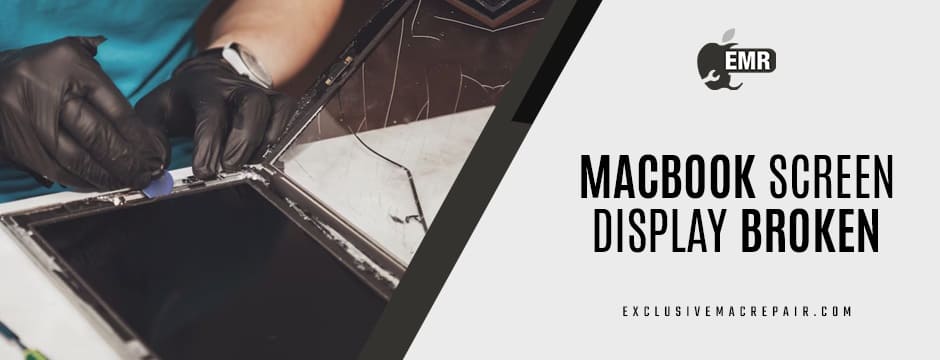
Your MacBook is more than just a laptop—it’s an essential part of your daily life. Whether you’re a student, professional, or creative, a sudden screen issue can be frustrating, disruptive, and costly. One moment you’re editing photos, typing up a report, or attending a Zoom call, and the next, your screen goes black, flickers, or displays odd lines and colours. If your MacBook screen broke without any obvious reason, you’re not alone. This issue is more common than you think and can be caused by a variety of factors beyond accidental drops or visible physical damage.While Apple devices are known for their sleek design and reliable performance, they are not immune to hardware failures. The screen, being one of the most sensitive and crucial components, is often the first to show signs when something goes wrong. Understanding the reasons behind sudden display issues can help you identify the cause quickly and get the right kind of repair service without panic or unnecessary expenses. In this blog, we’ll explore the most common reasons behind MacBook Screen Display Broken suddenly and what you can do to prevent or address these problems efficiently.
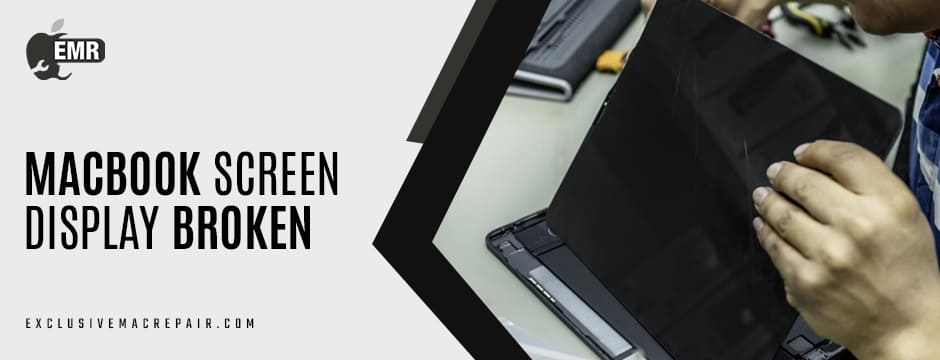
Flexgate: An Established Design Flaw
One of the most frequently discussed issues with newer MacBook models, especially those from the years 2016 to 2019, is a problem called “Flexgate.” This occurs because of a flex cable connecting the screen and logic board. The flex cable, which is quite brittle, is tightly wound and will be yanked and pulled every time you open or close your laptop. Over time, the flex cable can wear and cause screen issues, such as:
- Backlight failing at certain angles
- The display is going black completely
- Faint or flickering images on the screen
The downside is that the problem generally shows up independently of any physical damage, so users start to feel like their screens have spontaneously failed. Apple has admitted to this in certain models and has offered free repairs, but for many users, the issue arises after a warranty repair period.
Pressure Damage (Even Without a Fall)
Even if you haven’t dropped your MacBook, even small amounts of pressure on the lid or screen, like when you cram it into a full backpack or lay something on top of it, can crack the internal LCD. Typically, this damage happens inside the computer, and your external glass is still intact. You may find signs like:
- Vertical or horizontal streaks
- Purple/black blotches
- Partial functionality
Pressure damage may not be immediately obvious, but once a crack begins, it will typically worsen. Therefore, it’s better to contact the experts like Exclusive Mac Repair to know about MacBook M1 screen replacement cost.
Liquid Damage You Didn’t Think About
Coffee or water on your keyboard may seem like something you’d notice instantly. However, sometimes a very small amount of moisture, such as condensation or high humidity, can find its way into the MacBook’s screen or motherboard. If this happens, it could cause:
- Flickering and/or dimming displays
- Changing colours randomly
- The screen is turning on and off intermittently
Apple devices are not waterproof, and even a little exposure to moisture could short out sensitive components. If you believe you have exposed your MacBook to liquid, the safest step is to immediately turn it off and get it inspected by a professional.
Damaged Logic Board or Video Card
Sometimes the issue isn’t the screen itself, but the components that turn the information into the display. The logic board or integrated video card can fail due to overheating, manufacturing defects, and power surges. In these cases, it typically seems as if the display is broken.
Common symptoms include:
- Black or grey screen on startup
- Static or artefacts on the screen
- The computer freezes during high graphics use
This is the type of problem that requires a certified technician to diagnose because the component is not something that visually jumps out at you and might involve expensive logic board repairs or possibly replacement. Contact the experts, Exclusive Mac Repair, for doorstep MacBook repair in Hyderabad.
Software or Firmware Problems
At times, we tend to expect the worst, but sometimes an issue with the screen is just software-related. macOS can glitch, sometimes it’s a failed update or a corrupt graphics driver. This could lead to:
- Boot loops
- Blank screen when logged in
- Kernel panics affecting the display
You can try resetting the SMC (System Management Controller) and NVRAM, or booting into Safe Mode to try to rule out software issues.
Third-Party Accessories or Chargers
Using accessories or chargers made by a different brand, including docking stations, creates an inconsistency in voltages that could affect the internal components of your MacBook, including your screen. Charging your laptop from a poorly designed third-party adapter can create a power surge that may result in permanent damage to the screen or logic board. Apple recommends using certified accessories only. If your screen went dark just after plugging in a non-Apple charger, it’s a clear sign that your MacBook Screen Display Broken.
Manufacturing Defects and Ageing Components
A manufacturing defect or normal ageing can affect your MacBook over time, even with the best quality control. Examples include:
- Screen discolouration due to ageing LEDs.
- Loose screen hinges that lead to disconnections.
- Cable corrosion over time.
For a MacBook older than 4 – 5 years, there may simply be age-related screen issues. Typically, the value proposition of replacing the screen is higher than buying a new device.
Typical Malfunction by Unqualified Technicians
If your MacBook was serviced or repaired, not by authorized technicians or by an inexperienced technician, your internal cables could have been damaged during disassembly or simply not put back together correctly. Until you are sure that nothing has been damaged from being improperly serviced by unsecured technicians, make sure you always use authorized Mac repair experts who are accustomed to Apple devices to eliminate secondary damage.
Final Notes
A MacBook Screen Display Broken doesn’t always mean disaster—it just means it’s time for a professional evaluation. Whether it’s Flexgate, liquid exposure, or ageing hardware, identifying the root cause is essential for proper repair and peace of mind. Don’t trust your valuable device to just any repair shop. If you’re looking for fast, reliable, and affordable MacBook screen repairs, Exclusive Mac Repair is your go-to solution. With certified technicians, original Apple parts, and a reputation for excellence, we offer expert diagnostics and quick turnaround times to get you back up and running. No more guesswork—just quality service you can count on. Visit us today and bring your MacBook back to life with confidence!