09 Jul 2026
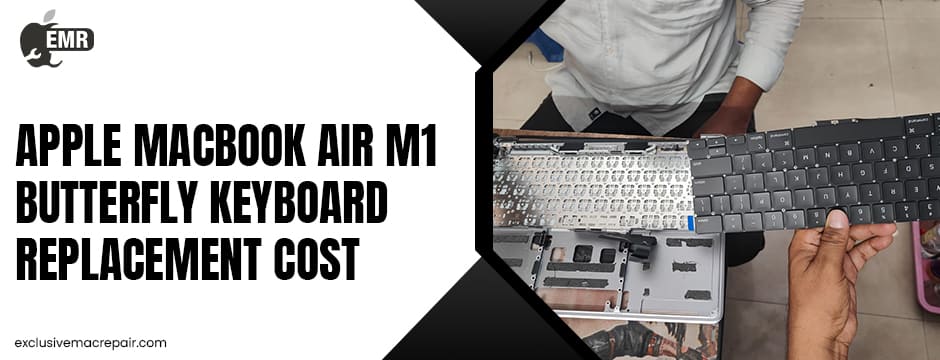
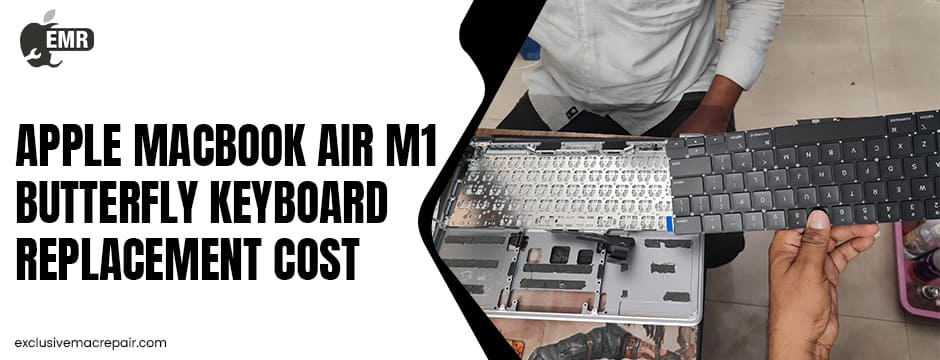
If your MacBook keyboard has started missing keystrokes, repeating letters, or feeling sticky, you’re probably wondering how much a repair will cost. Many users searching for the Apple MacBook Air M1 butterfly keyboard replacement cost are surprised to learn that the MacBook Air M1 (2020) actually does not use Apple’s butterfly keyboard.
Instead, it features the more reliable Magic Keyboard with a scissor-switch mechanism, introduced to replace the problematic butterfly design found in earlier MacBooks. However, keyboard damage can still occur due to spills, accidental impact, wear and tear, or electrical faults. Understanding repair costs, keyboard replacement options, and what influences pricing can help you avoid unnecessary expenses and choose a trustworthy repair service.
The Most Affordable Apple MacBook Air M1 Butterfly Keyboard Replacement Cost at Exclusive Mac Repair
| Model | Service | Cost |
| MacBook Air M1 butterfly keyboard | Replacement | At Doorstep Starts from Rs.6800 |

Does the MacBook Air M1 Have a Butterfly Keyboard?
One of the biggest misconceptions surrounding the MacBook Air M1 is that it uses Apple’s butterfly keyboard. It doesn’t. Apple introduced the Magic Keyboard in the MacBook Air M1, replacing the butterfly mechanism that had received widespread criticism for reliability issues. Butterfly keyboards were primarily used in MacBook models released between 2015 and 2019 before Apple phased them out.
The company also ended its Butterfly Keyboard Service Program after eligible coverage expired. So, if you’re looking for a keyboard replacement on an M1 MacBook Air, you’re dealing with a Magic Keyboard repair rather than a butterfly keyboard replacement.
Why Do MacBook Air M1 Keyboards Need Replacement?
Although the Magic Keyboard is significantly more dependable, it isn’t immune to damage.
Common reasons include:
- Liquid spills causing short circuits
- Dust or debris affecting key movement
- Broken keycaps after accidental impact
- Internal flex cable damage
- Faulty backlight
- Wear after years of daily use
- Motherboard-related keyboard communication issues
Sometimes only a few keys stop working, while other times the complete keyboard assembly must be replaced.
What Determines the Keyboard Replacement Cost?
Several factors affect how much you’ll pay for a repair.
Extent of the Damage
If only one keycap is damaged, replacing the key may be enough.
However, if the keyboard membrane or internal switches are damaged, technicians often recommend replacing the entire keyboard assembly.
Genuine vs Compatible Parts
Original-quality replacement parts generally cost more but offer better durability and typing performance.
Lower-cost aftermarket keyboards may save money initially but could affect the overall experience.
Labour Charges
Replacing them requires nearly complete disassembly of the laptop, making labour a significant portion of the repair cost.
Additional Damage
Liquid spills often damage more than the keyboard.
Technicians may discover:
- Corroded connectors
- Damaged trackpad
- Battery issues
- Logic board corrosion
Repair costs increase if multiple components require attention.
Average Apple MacBook Air M1 Keyboard Replacement Cost
Although the pricing of the MacBook Air M1 Butterfly Keyboard varies between repair providers and regions, here is a general estimate.
| Repair Type | Estimated Cost |
| Single key replacement | Lowest cost |
| Keyboard cleaning | Moderate |
| Complete keyboard replacement | Higher |
| Top case assembly replacement | Premium |
Many independent repair specialists offer keyboard replacement starting around ₹7,500, while pricing varies depending on parts, warranty, and additional repairs required.
Always request a complete diagnosis before approving repairs.
Signs Your Keyboard Needs Professional Repair
Ignoring keyboard issues may eventually lead to more expensive repairs.
Watch for symptoms such as:
- Certain keys are not responding
- Double typing
- Sticky keys
- Keyboard backlight failure
- Random characters appearing
- The entire keyboard is becoming unresponsive
- Keyboard working intermittently
These symptoms often indicate either hardware failure or internal damage requiring professional inspection.
Can You Replace the Keyboard Yourself?
Technically, yes.
Practically, it’s not recommended.
The MacBook Air M1 has a highly compact internal design. The Apple MacBook Air M1 Butterfly Keyboard Replacement Cost involves removing numerous components, including:
- Battery
- Speakers
- Logic board
- Cooling components
- Trackpad
- Internal cables
Improper handling can cause:
- Display damage
- Battery puncture
- Logic board failure
- Cable tears
- Loss of waterproof seals
Unless you have professional repair experience, DIY replacement usually creates more problems than it solves.
Apple Repair vs Independent Repair Centre
Both options have advantages.
Apple Service
Pros:
- Genuine parts
- Certified technicians
- Manufacturer standards
Cons:
- Higher repair costs
- Longer waiting periods in some locations
- Limited repair flexibility
Independent Repair Specialists
Pros:
- Faster turnaround
- Competitive pricing
- Flexible repair solutions
- Personalized service
Cons:
- Quality depends on the repair provider
- Warranty terms vary
Always choose technicians experienced in MacBook board-level repairs rather than general laptop servicing.
Questions to Ask Before Booking a Repair
A reputable repair centre should answer these questions clearly.
Ask:
- Is diagnostic testing included?
- What parts will be replaced?
- Are the replacement parts genuine or OEM-quality?
- Is the repair covered by warranty?
- How long will the repair take?
- Will my data remain untouched?
- Is there any additional damage beyond the keyboard?
Clear answers reduce the chance of unexpected charges later.
Tips to Extend the Life of Your MacBook Keyboard
After repair, proper care can significantly improve longevity.
Helpful habits include:
- Keep liquids away from your laptop.
- Clean the keyboard regularly using recommended methods.
- Avoid eating over your MacBook.
- Use a protective sleeve during travel.
- Handle keys gently.
- Update macOS regularly to eliminate software-related input issues.
- Avoid excessive pressure while typing.
Simple preventive maintenance often saves hundreds of dollars in future repairs.
Should You Repair or Replace the Entire MacBook?
If your MacBook Air M1 is otherwise functioning well, replacing the keyboard is usually the smarter financial decision.
The M1 processor continues to deliver excellent performance for:
- Office work
- Programming
- Graphic design
- Video editing
- Student use
- Everyday productivity
A keyboard replacement restores usability without the much higher expense of purchasing a new MacBook.
End Notes
Searching for the Apple MacBook Air M1 butterfly keyboard replacement cost can be confusing because the M1 MacBook Air actually features Apple’s more reliable Magic Keyboard rather than the older butterfly design. Even so, physical damage, spills, and everyday wear can still require professional keyboard replacement.
Before booking any repair, compare pricing, confirm warranty coverage, and choose technicians experienced in MacBook repairs. For reliable diagnostics, expert MacBook keyboard replacement, and professional repair solutions, visit Exclusive Mac Repair to restore your MacBook quickly and confidently.