17 Jul 2026
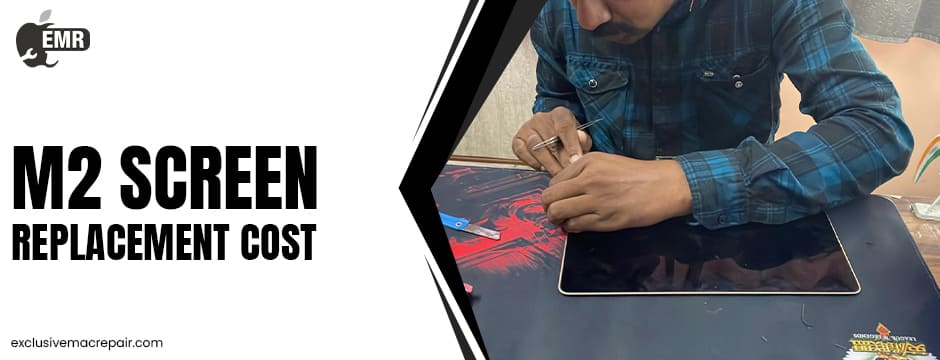
The M2 MacBook is designed to deliver exceptional performance, portability, and an immersive viewing experience thanks to its brilliant Liquid Retina display. Whether you use your MacBook for work, studies, creative projects, or entertainment, a damaged screen can quickly disrupt your productivity. Cracks, flickering, dead pixels, or black spots are more than cosmetic issues—they often signal underlying hardware damage.
If you’ve been searching for information about M2 MacBook Screen Replacement Cost, understanding the warning signs and repair options can help you make an informed decision. This guide explains when a screen replacement becomes necessary and how to protect your investment.
Exclusive Mac Repair: Your Best Place for Reasonable M2 MacBook Screen Replacement Cost
| Model | Service | Cost |
| M2 MacBook | Screen Replacement | Starts from Rs.21999 |
Why is the M2 MacBook Display Different?
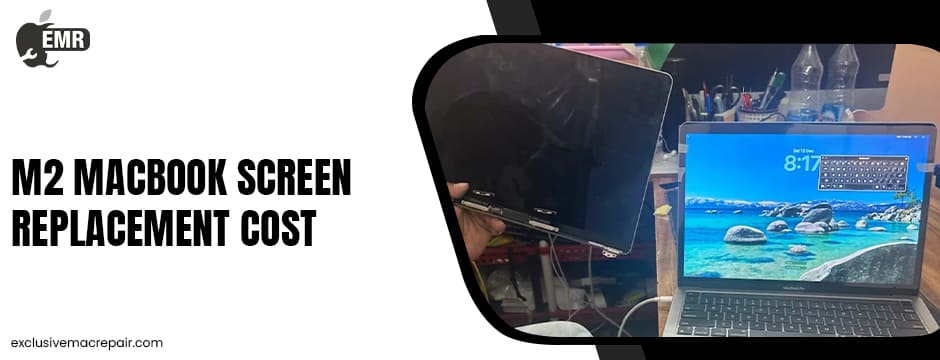
Apple’s M2 MacBook models feature advanced Liquid Retina displays that deliver impressive brightness, vibrant colours, and remarkable detail. Unlike traditional laptop displays, the screen assembly integrates multiple precision-engineered components that work together to provide a seamless visual experience.
The display assembly typically includes:
- Liquid Retina LCD panel
- Protective glass layer
- Backlight system
- FaceTime camera
- Display cables
- Aluminium display enclosure
Because these components function as a single unit, significant physical damage often requires replacing the complete display assembly rather than repairing one individual part.
Understanding the M2 MacBook Screen Replacement Cost
When researching M2 MacBook screen replacement cost, it’s important to understand that the total expense varies depending on several factors rather than being a fixed price. Your MacBook model, the extent of the damage, the quality of replacement parts, and whether additional internal components have been affected all contribute to the overall repair process. For example, a simple crack may require a different solution than liquid damage or an internal LCD failure. Before approving any repair, having your MacBook professionally diagnosed ensures the actual cause of the problem is identified and the most appropriate repair solution is recommended.
Signs It’s Time to Replace Your M2 MacBook Display
Recognising the early symptoms of display damage can help prevent further problems and avoid additional repair work.
Your Screen Is Cracked
A cracked display is the most obvious sign that your MacBook needs professional attention. Even if the laptop continues to function, cracks weaken the display structure and often worsen with continued use. Small fractures can expand over time, making the screen harder to view and increasing the risk of internal damage.
Black Spots Are Appearing
Dark patches or ink-like marks beneath the screen usually indicate internal LCD damage. These spots rarely disappear on their own and often continue spreading across the display, making everyday tasks increasingly difficult.
Vertical or Horizontal Lines Cover the Screen
Persistent colored or black lines across the display often point to damaged display components or internal connection issues. If these lines remain after restarting your MacBook, it’s a strong indication that the display requires professional inspection.
The Screen Keeps Flickering
Screen flickering may start occasionally but often becomes more frequent over time. While software glitches can sometimes cause flickering, persistent issues usually suggest hardware-related problems involving the display assembly or backlight system.
Dead or Stuck Pixels
Dead pixels appear as tiny black dots, while stuck pixels remain fixed on one colour. A few isolated pixels may not affect usability, but clusters of dead pixels can significantly reduce display quality and indicate panel deterioration.
The Display Randomly Turns Black
If your MacBook powers on but the screen repeatedly goes black or loses its image, the problem may involve the display itself rather than the rest of the computer. Professional diagnostics can determine whether the issue lies within the display assembly or another internal component.
Uneven Brightness Across the Screen
Some areas of your display may appear brighter or dimmer than others due to internal backlight damage. Uneven brightness often becomes more noticeable while watching videos, editing photos, or working in bright environments.
Screen Bleeding Around the Edges
Light bleeding or pressure marks near the edges of the display typically occur after accidental impact or excessive pressure on the screen. These defects usually become more visible when viewing dark backgrounds and often require display replacement.
Common Causes of M2 MacBook Screen Damage
Many display problems result from everyday accidents that users don’t initially consider serious.
Accidental Drops
Even a shortfall can damage the LCD panel or internal display connections without causing obvious external damage.
Pressure on the Display
Closing your MacBook with items such as pens, charging cables, memory cards, or earbuds left on the keyboard can crack the screen instantly.
Liquid Exposure
Water, coffee, or other liquids can seep into the display assembly, leading to flickering, discolouration, or complete screen failure.
Excessive Force
Opening the lid incorrectly or placing heavy objects on top of the MacBook can stress the display assembly and eventually damage the screen.
Manufacturing Issues
Although uncommon, certain display problems may develop due to component defects, especially if the device is still covered under warranty.
Should You Repair or Replace the Display?
Not every display issue automatically requires a complete screen replacement. Some problems may stem from loose display cables, software conflicts, or other hardware components that can be repaired without replacing the entire display assembly.
However, M2 Screen Replacement Cost is generally recommended when you experience:
- Cracked or shattered glass
- LCD leakage
- Large black spots
- Extensive dead pixels
- Severe flickering
- Permanent display lines
- Backlight failure
- Display bleeding
A qualified technician can accurately diagnose the issue and recommend the most suitable solution.
Tips to Protect Your M2 MacBook Screen
Preventive care can significantly reduce the chances of expensive display repairs.
Here are some practical habits to follow:
- Always carry your MacBook in a padded protective sleeve.
- Avoid placing objects between the keyboard and display before closing the lid.
- Open and close the lid gently using the centre of the display.
- Avoid applying pressure to the screen while carrying the laptop.
- Store your MacBook in a cool, dry environment when not in use.
These simple precautions can help preserve your display for years.
Is Screen Replacement Worth It?
In many cases, replacing the screen is a practical solution, especially if your M2 MacBook continues to perform well otherwise. The M2 processor remains highly capable for everyday computing, business applications, creative work, coding, and multimedia tasks. Restoring the display allows you to continue enjoying the performance of your MacBook without investing in an entirely new device.
Final Notes
A damaged display can affect everything from productivity to entertainment, but recognising the warning signs early can help you address the issue before it becomes more serious. Whether you’re dealing with cracks, flickering, dead pixels, display lines, black spots, or uneven brightness, a professional diagnosis is the first step toward restoring your MacBook.
If you’re looking for affordable M2 MacBook Screen Replacement Cost performed by experienced technicians using high-quality replacement parts, visit Exclusive Mac Repair to learn more about our professional MacBook screen repair and replacement solutions.