08 Aug 2025
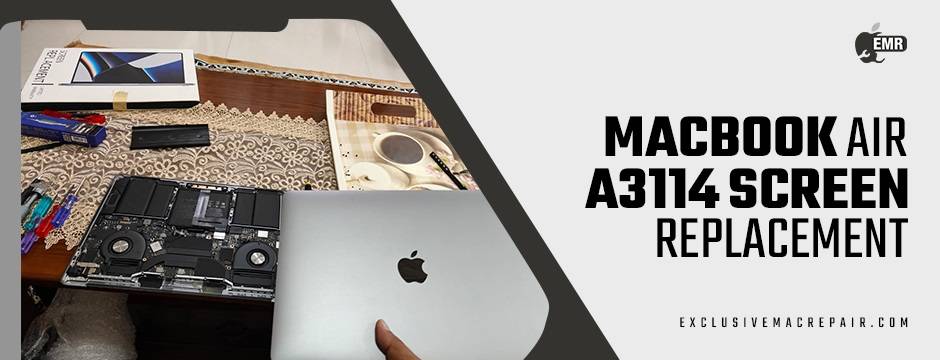
The MacBook Air A3114 represents the pinnacle of Apple’s slimline innovation—sleek, powerful, and ultra-light. But as impressive as it is, this cutting-edge machine is not immune to physical damage. One of the most common issues MacBook users face is a cracked or malfunctioning screen. Whether from accidental drops, pressure in a backpack, or pixel issues after a fall, a damaged screen can seriously affect productivity, media experience, and even your device’s lifespan.
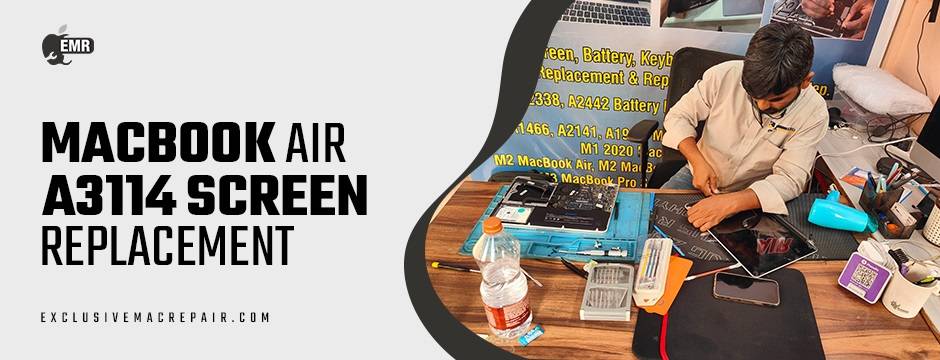
While it might be tempting to attempt a DIY fix after watching a YouTube tutorial or reading a forum post, replacing a MacBook Air A3114 screen is far more complex than it appears. The reality is—this repair should not be taken lightly. From the intricacies of Apple’s proprietary hardware to the precision required in handling microcomponents, screen replacement demands not just technical know-how, but also specialised tools and access to genuine parts. This is where professional help from Exclusive Mac Repair proves invaluable. In this blog, we’ll explore the challenges of MacBook Air A3114 screen replacement, the risks of DIY repairs, and the many advantages of turning to expert technicians.
| Model | Screen Replacement | Fitting & Installation |
| MacBook Air A3114 | 19500 | 1500 |
Understanding the MacBook Air A3114 Display Technology
The A3114 model, like many recent MacBooks, features a Retina display with True Tone technology, high pixel density, and precise colour accuracy. It’s designed for visual brilliance, whether you’re editing a video, working on spreadsheets, or enjoying a Netflix binge.
However, this advanced display comes with its own set of challenges when it needs replacement:
- High Integration: The screen assembly is tightly packed with sensors and cables.
- Proprietary Design: Apple’s design isn’t meant for casual disassembly.
- Anti-reflective Coating: Any mistake during handling can permanently damage the surface.
- Compatibility: Only specific screens are compatible with the A3114, and finding the right part requires expertise.
What seems like a simple replacement job is, in fact, a highly technical procedure.
Why DIY Screen Replacement is Risky?
Voiding the Warranty
Even if your MacBook’s warranty has expired, tampering with internal components yourself can void future Apple repair eligibility or AppleCare+ coverage. Apple-authorised repair centres, or third-party experts that follow OEM standards, ensure your device remains eligible for support where possible.
Lack of Proper Tools
MacBook Air A3114 uses Pentalobe and Torx screws, ultra-fine flex cables, and layered internal structures. These components require:
- Anti-static tools
- Suction cup systems
- Precision spudgers
- Microsoldering (in some cases)
The average user lacks both the tools and steady hands necessary to work with such tiny, delicate parts.
Risk of Further Damage
Without adequate experience, DIY efforts may result in:
- Damaging the logic board or GPU during disassembly
- Improper reconnection of the display cable, causing flickers or screen failure
- Breaking internal hinges or pressure-sensitive components
Often, what begins as a simple repair can turn into a complete device failure, resulting in even more expensive repairs.
The Professional Advantage
Diagnostic Precision
A professional technician at Exclusive Mac Repair doesn’t just jump into a screen replacement. They run diagnostic tests to verify whether the screen is truly the problem—or if the issue lies deeper (e.g., logic board, GPU, or display connector). Misdiagnosis in a DIY attempt may cause you to replace a working screen unnecessarily.
Use of Genuine or OEM Parts
Professionals source original or high-quality OEM replacement screens. Low-cost replacements from unauthorised sources may:
- Affect brightness and colour accuracy
- Lead to ghost touches or touch sensitivity problems
- Reduce the overall lifespan of the display
Using genuine parts ensures your MacBook Air A3114 performs as Apple intended.
Warranty on Repairs
Reputable repair centres offer warranties on parts and labour—providing peace of mind in case any issue arises post-repair. DIY repairs offer no such safety net.
Clean, Dust-Free Work Environment
Dust and static are enemies of sensitive electronics. Professional technicians work in anti-static, dust-controlled environments that prevent damage during installation.
Time and Cost Efficiency
While DIY might seem cheaper at first glance, factoring in the cost of tools, replacement screens, potential mistakes, and time spent learning the process, professional help saves money in most cases.
Moreover, professionals at Exclusive Mac Repair can complete the job quickly, often within hours or a single business day, with doorstep service at the affordable price of INR 19500 + 1500. In contrast, a DIY job might stretch for days, especially if complications arise or the screen doesn’t fit.
Long-Term Benefits of Expert Screen Repair
Beyond the immediate fix, choosing a professional for MacBook Air A3114 screen replacement helps maintain:
- Device resale value
- Functionality and display integrity
- Battery life (improper screen installations can affect internal heat regulation)
- System compatibility with macOS updates (especially where screen firmware is involved)
Experts often perform post-repair calibration, ensuring your Retina display maintains accurate colour profiles and brightness levels. This is especially critical for photographers, designers, and video editors.
Signs You Need a Screen Replacement (and Not Just a Reset)
Before heading to a repair centre, it’s useful to confirm that a screen replacement is indeed necessary. Here are common signs:
- Cracked or shattered glass
- Vertical or horizontal lines
- Flickering or dim screen
- Dead pixels or black spots
- No display, but the MacBook powers on (keyboard lights up or chimes heard)
In any of these cases, avoid continuing to use the device, as further stress can exacerbate damage.
Choosing the Right MacBook Repair Centre
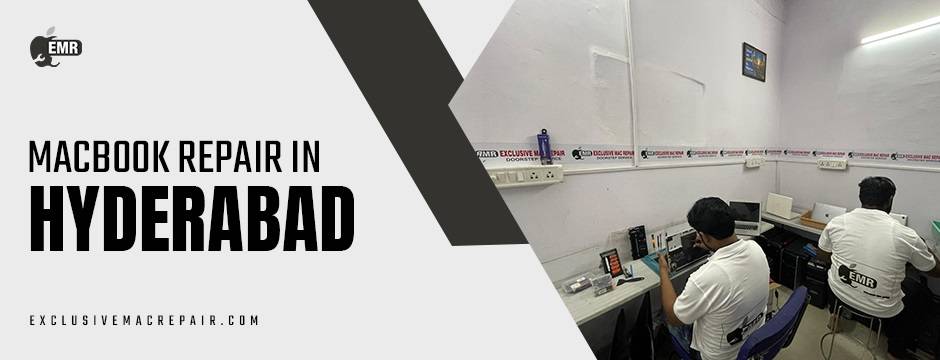
Not all repair services are created equal. When looking for a reliable MacBook repair in Hyderabad service provider, consider:
- Certifications and experience
- Customer reviews and ratings
- Turnaround time
- Warranty and parts guarantee
- Transparent pricing
Wrapping Up
When it comes to something as critical and delicate as a MacBook Air A3114 screen replacement, trusting the job to professionals ensures your device remains safe, functional, and long-lasting. Exclusive Mac Repair specialises in Apple devices, offering premium screen replacements for all MacBook models—including the A3114.
With expert technicians, access to genuine parts, and quick turnaround times, we take the stress out of MacBook repairs. So, before you pick up that screwdriver or scour eBay for a cheap replacement screen, consider what’s truly at stake—your investment, your data, and your productivity. Let our professionals handle it. Your MacBook deserves nothing less.