11 Jul 2025

The MacBook Air M2 (model A2681) is an ultra-sleek, high-performance laptop that has quickly become a favourite among Apple users. With its Liquid Retina display and powerful M2 chip, it delivers exceptional visuals and seamless functionality. However, like any sophisticated device, the screen is vulnerable to accidental damage—from cracked glass to dead pixels and flickering displays. When it comes to replacing the screen, precision and expertise are non-negotiable.
Unfortunately, many users attempt a DIY replacement or seek help from unqualified repair centres, only to encounter costlier issues down the line. The MacBook Air M2 features an intricate internal layout and delicate components that can easily be damaged with one wrong move. Replacing its display isn’t just about swapping screens—it’s about protecting the core of a premium device. In this blog, we’ll highlight the top mistakes to avoid during MacBook Air M2 A2681 display replacement, whether you’re attempting the process yourself or evaluating a repair technician. We’ll also explain why trusting Apple repair experts like Exclusive Mac Repair can save you time, money, and a whole lot of frustration.

Ignoring Model-Specific Requirements
One of the most common mistakes is assuming that all MacBook screens are alike. The M2 A2681 display is uniquely designed and requires specific tools and parts. Using components from older models or incompatible screens can result in:
- Improper fit
- Colour calibration issues
- Touch responsiveness problems (for touch-capable versions)
Always double-check that the replacement screen is explicitly made for the A2681 model and that the repair process follows MacBook Air M2-specific guidelines.
Attempting DIY Repairs Without Experience
There’s a growing trend of watching YouTube tutorials and attempting display replacements at home. While DIY videos may look simple, the reality is much more complex. Common issues that arise include:
- Stripping delicate screws
- Damaging the logic board or battery
- Forgetting to disconnect the power supply
MacBooks use specialized tri-wing and pentalobe screws, and internal components are layered in a way that requires disassembly with extreme care. Without proper training or anti-static tools, you risk permanent hardware failure.
Not Disconnecting the Battery First
One critical mistake—even among self-proclaimed tech-savvy individuals—is failing to disconnect the battery before beginning a screen replacement. Leaving the battery connected while removing internal components can:
- Short-circuit your MacBook
- Causes electric arcing and internal damage
- Lead to display panel failure after replacement
This basic yet essential step must never be skipped. An expert technician will always begin with a full power-down and battery disconnection to ensure safety and system integrity.
Applying Excessive Force
Whether it’s prying open the chassis or trying to remove the screen connectors, using brute force can lead to broken clips, torn flex cables, or cracked casings. The MacBook Air M2’s components are precision-fitted, and prying in the wrong place can cause irreversible damage.
Professional repair centres use suction cups, plastic spudgers, and precise heat application to loosen adhesives without cracking or warping parts.
Using Aftermarket or Low-Quality Replacement Screens
Opting for a cheaper, third-party MacBook Air M2 A2681 Display Replacement may save a few bucks upfront, but the long-term consequences can be costly:
- Dim or uneven brightness
- Inaccurate colours
- Flickering or ghosting issues
Always choose OEM-grade parts, preferably sourced directly from Apple or an Apple-certified parts distributor. Exclusive Mac Repair only uses high-quality components that maintain the look and performance of your original display.
Skipping Calibration After Installation
Once the screen is replaced, calibration is often necessary to ensure proper brightness levels, colour accuracy, and True Tone functionality. Many DIY users overlook this step, resulting in a screen that “works” but doesn’t match the original quality.
Professional centres use calibration tools and software to fine-tune the display settings, ensuring an optimal visual experience post-replacement.
Damaging the Webcam or Ambient Light Sensor
The MacBook Air M2 display integrates several components, including:
- Webcam (FaceTime HD)
- Ambient light sensors
- Microphone (in some models)
A careless replacement process can dislodge or damage these small modules, leading to problems like:
- Webcam not working
- The screen is not adjusting brightness automatically
- Audio/video sync issues during video calls
Ensuring proper reconnection and alignment of these parts is crucial, and often only achievable by a seasoned Mac technician.
Not Testing Before Reassembly
Another common blunder is fully reassembling the MacBook before testing the new screen. If the display doesn’t work due to a loose connection or a dead-on-arrival part, you’ll have to reopen everything again, increasing the risk of further damage.
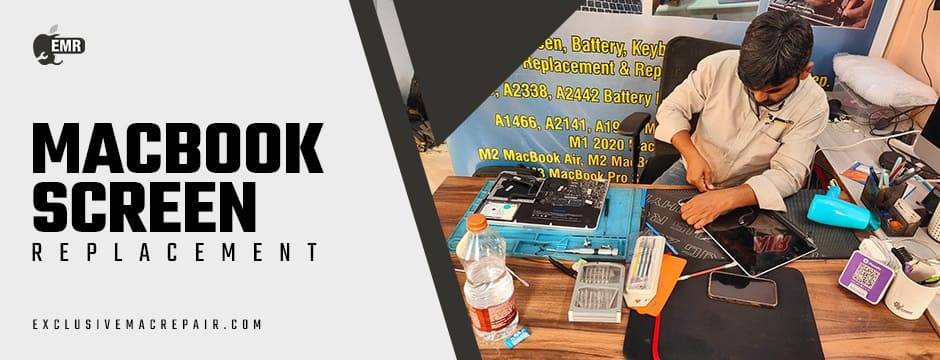
Reputable repair centres for MacBook Screen Replacement always test the screen before final reassembly. They’ll run full diagnostics to confirm everything—from backlight to touch response—is functioning correctly.
Overlooking Thermal Reapplication
During the display replacement process, heat shields and thermal pads may need to be removed or repositioned. Failing to reapply thermal paste or realign heat shields can lead to:
- Overheating
- Fan noise issues
- Reduced performance over time
This step is often ignored during DIY repairs, but it’s standard procedure for professionals like those at Exclusive Mac Repair, who understand the thermal dynamics of MacBooks.
Choosing the Wrong Repair Partner
Perhaps the biggest mistake is trusting your MacBook to an inexperienced or uncertified technician. Common red flags include:
- No warranty on parts or labour
- Unclear pricing structure
- Lack of reviews or customer feedback
Always choose a specialist with proven MacBook expertise. A certified Apple repair expert will:
- Use original or top-grade replacement parts
- Offer a warranty
- Complete the job using anti-static, precision tools in a dust-free environment
End Notes
MacBook Air M2 A2681 Display Replacement is not a task for the untrained. Every step—from opening the chassis to reconnecting internal components—requires precision and product-specific knowledge. Avoiding the mistakes above is essential if you want your MacBook to function as flawlessly as it did before the damage.
Instead of risking your device’s performance with DIY efforts or uncertified shops, trust the professionals at Exclusive Mac Repair. With a proven track record of handling complex Apple repairs, we offer OEM-grade screen replacements, Expert calibration and diagnostics, Quick turnaround times, Transparent pricing and dependable service.