02 Jul 2026
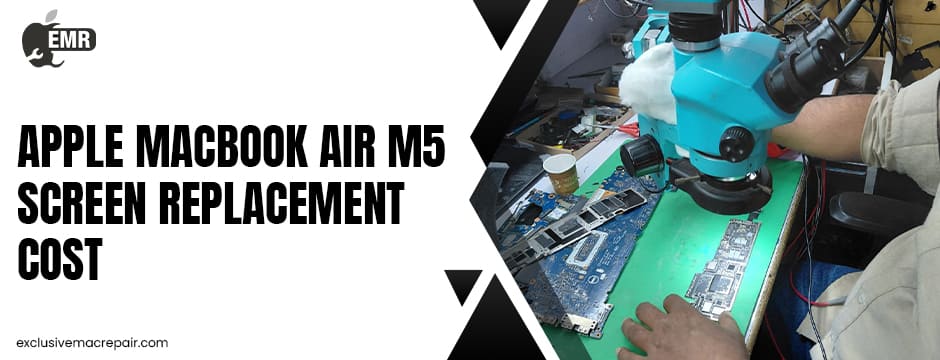
The Apple MacBook Air M5 is built with an advanced Liquid Retina display that delivers exceptional brightness, colour accuracy, and energy efficiency. However, even the most durable laptops are vulnerable to accidental drops, pressure damage, liquid spills, or cracked screens. If your MacBook Air M5 display is damaged, understanding the available repair options and replacement costs can help you make an informed decision.
Whether you’re considering Apple-authorised service or an independent repair specialist, this guide explains the factors affecting Apple MacBook Air M5 Screen Replacement Cost, available repair options, warranty considerations, and tips to protect your investment.
Avail the Affordable Apple MacBook Air M5 Screen Replacement Cost By Exclusive Mac Repair
| Model | Service | Cost |
| Apple MacBook Air M5 | Screen Replacement | Start at Rs.26500 onwards |
Common Reasons MacBook Air M5 Screens Need Replacement
The MacBook Air M5 features a premium display, but several situations can lead to screen damage.
Some of the most common causes include:
- Accidental drops resulting in cracked glass
- Pressure damage from carrying the laptop improperly
- Liquid spills affecting the display circuitry
- Dead pixels or vertical lines appearing on the screen
- Flickering or black display caused by internal damage
- Hinge-related cable issues after prolonged usage
While minor cosmetic scratches rarely require replacement, visible cracks or display malfunctions often need a complete display assembly replacement.
How Much Does an Apple MacBook Air M5 Screen Replacement Cost?
The exact repair cost depends on several factors, including:
- Warranty status
- AppleCare+ coverage
- Extent of physical damage
- Country or region
- Service provider
Apple generally performs a complete display assembly replacement rather than replacing only the LCD panel. The final price is determined after an inspection and varies depending on whether the repair is covered under warranty or AppleCare+. Apple provides repair estimates only after diagnosing the device. Out-of-warranty repairs for MacBook displays are typically among the most expensive Mac repairs because the display assembly includes the LCD, glass, camera components, and other integrated hardware.
Independent repair providers may offer more affordable alternatives depending on the damage and the quality of replacement parts used.
Factors That Influence Screen Replacement Cost
Model Specifications
The MacBook Air M5 Screen Replacement uses a high-resolution Liquid Retina display with integrated components. Advanced display technology naturally increases replacement costs compared to older MacBook models.
Type of Damage
A simple cracked outer glass often isn’t repaired separately. Most technicians replace the complete display assembly, especially when:
- The LCD is broken
- Colours appear distorted
- Touch ID area is affected
- The camera stops functioning
- Backlight issues occur
Genuine vs Compatible Parts
Repair centres may offer:
- Genuine Apple replacement displays
- OEM-quality replacement displays
- Compatible aftermarket displays
Genuine parts generally cost more but provide factory-level quality and compatibility.
Labor Charges
Repair costs also include technician expertise, calibration, testing, and warranty coverage.
Apple Authorised Repair vs Independent Repair Shops
Apple Authorised Service
Advantages include:
- Genuine Apple parts
- Certified technicians
- Warranty protection
- Apple diagnostic testing
Potential drawbacks:
- Higher repair costs
- Longer waiting periods due to parts shortages
- Limited repair flexibility
Independent Mac Repair Specialists
Advantages include:
- Competitive pricing
- Faster turnaround
- Personalised customer service
- Multiple repair options
However, it’s important to choose an experienced repair provider that specialises in Apple products and offers warranty-backed repairs.
Should You Repair or Replace Your MacBook Air M5?
If the display is the only damaged component, replacing the screen is usually the most cost-effective solution.
Screen replacement makes sense when:
- The laptop is otherwise functioning perfectly.
- Battery health remains good.
- Performance still meets your needs.
- The repair cost is significantly lower than the cost of buying a new MacBook.
Replacing the entire laptop is generally recommended only when multiple major components have failed simultaneously.
Signs Your MacBook Air M5 Needs Screen Replacement
Not every display issue requires a full replacement, but these symptoms usually indicate professional repair is needed:
- Cracked or shattered display
- Black screen while the Mac powers on
- Colored vertical or horizontal lines
- Screen flickering
- Dead pixels spreading across the display
- Display separation from the frame
- Bright or dark spots caused by internal damage
Ignoring these symptoms can sometimes worsen the problem over time.
How Long Does Screen Replacement Take?
Repair time depends on the service provider and parts availability.
Typical turnaround times include:
- Same-day repair for stocked parts
- One to three business days for standard repairs
- Longer if replacement parts must be specially ordered
Professional repair centres also perform testing after installation to ensure the display functions correctly before returning the device.
Is AppleCare+ Worth It?
AppleCare+ can significantly reduce the Apple MacBook Air M5 Screen Replacement Cost compared to standard out-of-warranty repairs. It also extends hardware coverage and provides access to certified Apple service.
If you frequently travel with your MacBook or use it for work, AppleCare+ may provide valuable long-term savings.
Tips to Avoid Future Screen Damage
Preventive care is always less expensive than repairs.
You can protect your MacBook Air M5 by:
- Using a padded laptop sleeve
- Avoiding excessive pressure on the closed lid
- Keeping liquids away from the keyboard
- Cleaning the display with approved microfiber cloths
- Carrying the laptop in a dedicated compartment
- Never place heavy objects on top of it
Simple habits can dramatically reduce the risk of costly display damage.
Choosing the Right Repair Provider
Before selecting a repair service, ask the following questions:
- Do they specialise in MacBook repairs?
- Are replacement parts genuine or of OEM quality?
- Is there a warranty on the repair?
- How long will the repair take?
- Will FaceTime camera and True Tone functionality remain intact?
- Is diagnostic testing included?
Choosing an experienced repair specialist helps ensure reliable, long-lasting results.
End Words
A damaged MacBook Air M5 screen doesn’t necessarily mean it’s time to replace your laptop. In many cases, professional screen replacement restores the device to like-new performance while saving you the significant expense of purchasing a new MacBook. Whether you’re dealing with a cracked display, flickering screen, or dead pixels, working with experienced Mac repair professionals ensures accurate diagnostics, quality replacement parts, and dependable workmanship.
If you’re looking for trusted MacBook repair services with an affordable Apple MacBook Air M5 Screen Replacement Cost, visit Exclusive Mac Repair to explore professional repair solutions backed by experienced technicians and reliable customer support.