15 Sep 2026
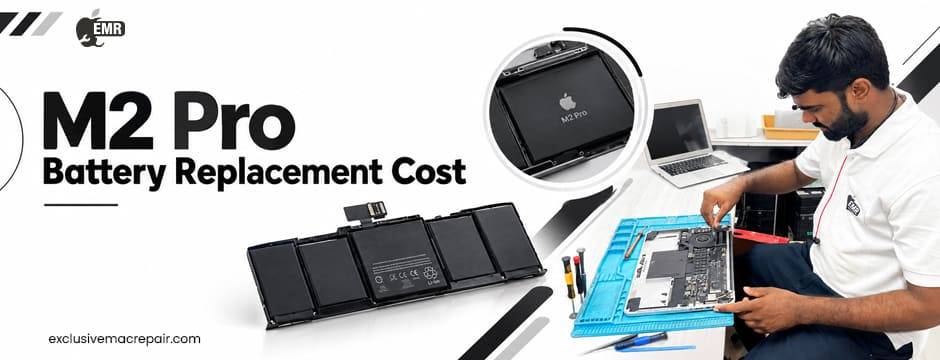
| Model | Service | Cost |
| M2 Pro | Battery Replacement | Rs.6500 to 9500 |
A MacBook with an M2 Pro chip is built for demanding work, but even a powerful machine eventually experiences battery wear. If your MacBook Pro is no longer lasting through your workday, shuts down unexpectedly, or displays a battery service warning, it may be time to consider a replacement.
Understanding the factors behind M2 Pro battery replacement cost can help you plan your repair without focusing only on the battery itself. The model, battery condition, repair method, parts quality, warranty coverage, and technician expertise can all influence the overall service experience.

Why Your MacBook Pro Battery Eventually Needs Replacement
MacBook batteries use lithium-ion technology. Like other rechargeable batteries, they gradually lose their ability to hold a full charge as they chemically age.
Apple explains that battery lifespan depends on factors such as temperature history, charging patterns, and chemical age. This means two MacBooks of the same age may not necessarily have identical battery performance.
You may start noticing signs such as:
- Shorter battery life
- More frequent charging
- Unexpected shutdowns
- Slow charging or charging inconsistencies
- A battery service recommendation
- Reduced maximum battery capacity
- Performance concerns when using the Mac away from a charger
A battery problem does not always mean immediate replacement, so proper diagnosis is an important first step.
Understanding M2 Pro Battery Replacement Cost
When researching M2 Pro battery replacement cost, it is useful to understand that there is no single universal repair amount.
The final repair expense can depend on several factors, including:
Your Exact MacBook Model
The M2 Pro chip appears in different MacBook Pro configurations. Screen size, year, internal design, and specific model configuration can affect the repair process.
Before requesting a replacement, identify the exact MacBook model. This helps a technician determine the appropriate battery and repair procedure.
Battery Condition
Not every battery that drains quickly necessarily needs replacement.
A professional technician can inspect battery health, charging behaviour, cycle count, and other symptoms before recommending service. Apple also provides battery health information through macOS, making it easier for users to identify whether their battery is functioning normally.
Parts Quality
The battery is one of the most important components inside a MacBook. Choosing a replacement based purely on the lowest quote can create unnecessary risks. Quality replacement parts should be compatible with the specific MacBook model and meet appropriate performance and safety requirements.
Apple recommends that built-in Mac laptop batteries be serviced by Apple, an Apple Authorised Service Provider, or an appropriate Independent Repair Provider using genuine Apple parts.
Labour and Technical Expertise
Replacing a built-in MacBook battery is different from swapping a removable battery in an older laptop.
The technician needs to open the device carefully, handle internal components correctly, install the replacement, and test the MacBook afterwards. This is why technical expertise should be considered alongside the quoted repair amount.
How to Check Whether Your Battery Needs Replacement
Before planning your repair, check the battery information on your MacBook.
Go to:
Apple menu → System Settings → Battery → Battery Health
Depending on the condition of your battery, macOS may show a status such as Normal or Service Recommended. Apple says that “Service Recommended” means the battery’s ability to hold a charge is lower than when it was new or that it is not functioning normally.
You can also check the battery cycle count through System Information. Apple explains that a charge cycle represents using the equivalent of the battery’s full capacity, even if that happens over several charging sessions. This information can be useful when discussing your MacBook with a repair technician.
Battery Health Is More Than Just Cycle Count
Many MacBook users assume that the cycle count alone determines when a battery should be replaced. It does not.
Battery performance can also be affected by:
- How frequently the MacBook is charged
- Operating temperatures
- Long periods of heavy workloads
- Charging habits
- The battery’s chemical age
- General usage patterns
Apple’s battery health management system for Apple silicon Mac laptops is designed to reduce the rate of chemical ageing by monitoring charging behaviour and temperature history.
Therefore, if your battery performance has changed, look at the complete picture rather than focusing on one number.
How to Plan Your MacBook Battery Repair
Planning can make the repair process much easier.
Back Up Your Data
Before handing your MacBook to a technician, create a current backup of important files. Apple recommends backing up your Mac before sending it in for service. You can use Time Machine or another trusted backup solution.
Identify the Exact Model
Have your MacBook’s model information available. This prevents confusion when requesting a battery replacement and helps the technician identify the correct component.
Ask What the Repair Includes
Instead of asking only about M2 Pro battery replacement cost, ask what is included in the service.
Useful questions include:
- Is the battery replacement included?
- What type of replacement battery will be installed?
- Is the repair covered by a warranty?
- Will the MacBook undergo diagnostic testing?
- Will the battery be tested after installation?
- How long will the repair process take?
- Are there any additional issues that could affect the repair?
This gives you a clearer idea of the overall service.
Should You Repair or Replace the MacBook?
Battery problems do not automatically mean that you need a new MacBook. If your M2 Pro MacBook is otherwise working well, replacing the battery may help extend its useful life. A battery replacement can be particularly practical when the display, keyboard, storage, ports, and other components remain in good condition.
However, if your MacBook has multiple serious hardware problems, it may be worth discussing the overall condition of the machine with a technician before proceeding. A professional diagnostic assessment can help you make that decision based on the actual condition of your device.
Why Professional Battery Replacement Matters
MacBook batteries are built into the computer, so battery replacement requires care.
An inexperienced repair attempt can potentially damage internal components. Apple specifically warns that repairs performed by untrained individuals or using non-genuine parts can damage equipment.
A professional repair service should focus on more than simply removing the old battery and installing another one.
The repair process should include:
- Proper device inspection
- Battery compatibility verification
- Careful internal handling
- Correct installation
- Charging and battery testing
- Final functionality checks
This approach helps reduce the risk of additional problems after the repair.
How to Get Better Value From Your Battery Replacement
If you want to make your repair decision carefully, avoid choosing a service based solely on the initial quote. Instead, compare:
Part quality + technician experience + diagnostic process + repair warranty + after-service support
A slightly different quote may reflect differences in the quality of parts, testing, workmanship, or warranty coverage.
Also, ask whether the technician has experience specifically with Apple silicon MacBook models. The M2 Pro platform is relatively modern, and familiarity with its hardware can be valuable.
How to Extend Battery Life After Replacement
Once you have a replacement battery installed, good charging habits can help maintain its condition.
Consider the following practices:
- Keep macOS updated.
- Avoid exposing your MacBook to excessive heat.
- Use appropriate charging equipment.
- Avoid unnecessary extreme temperature exposure.
- Use Apple’s battery management features where appropriate.
- Monitor battery health periodically.
- Avoid leaving the MacBook in extremely hot environments for long periods.
Apple’s battery health management system is designed specifically to help slow chemical battery ageing on Macs with Apple silicon.
Wrapping Up
Understanding M2 Pro battery replacement cost is less about finding one fixed figure and more about understanding what goes into a reliable repair. Your exact MacBook model, battery condition, replacement part, technician expertise, diagnostics, and warranty can all affect the overall service experience. Before replacing the battery, check your MacBook’s battery health, back up important data, and get a proper diagnosis.
If you want professional assistance with your MacBook battery issue, Exclusive Mac Repair can help you evaluate the problem and determine the appropriate repair solution for your device. Choosing experienced technicians and quality replacement components can give your MacBook a better chance of continuing to perform reliably after the repair.