01 Aug 2025
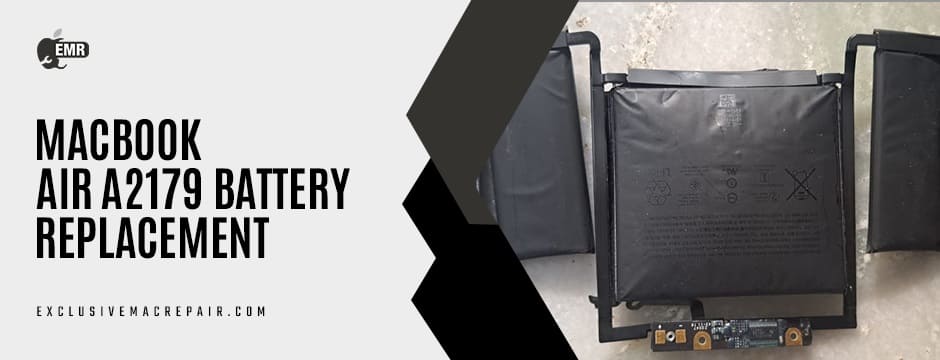
Your MacBook Air A2179 is designed to deliver sleek performance, portability, and extended battery life. But like all rechargeable batteries, the lithium-polymer battery inside has a limited lifespan. Over time, you may begin to notice reduced battery backup, unexpected shutdowns, or even swelling of the battery—clear indicators that it’s time to consider a replacement.
A failing battery doesn’t just affect your device’s portability; it can slow down performance and, in severe cases, pose safety risks. Understanding the signs of battery degradation and knowing when to seek a replacement can save you from unexpected inconveniences and expensive repairs down the line. If you’re based in India and searching for expert-level MacBook Air A2179 Battery Replacement, Exclusive Mac Repair offers fast, reliable, and professional services with genuine Apple components.
Understanding the Battery Lifecycle of the MacBook Air A2179
Apple designs its MacBook batteries to retain up to 80% of their original capacity at 1000 complete charge cycles. A “charge cycle” is counted when you use 100% of your battery’s capacity—even if it’s over multiple sessions. For instance, using 50% of the battery one day and 50% the next counts as one cycle.
Once you exceed the 1000-cycle threshold or even approach it, the battery’s performance will naturally decline. You might notice slower charging, quicker discharging, or system warnings—this is your MacBook’s way of telling you that the battery needs attention.
Signs You Need a Battery Replacement
Even if you’re not tracking your charge cycles, MacBook Air A2179 Battery Replacement is needed after a stipulated time:
- Reduced Battery Life: Your MacBook isn’t lasting as long on a single charge, even with light usage.
- Battery Service Warning: macOS may display a “Service Recommended” warning under the battery status.
- Unexpected Shutdowns: Your laptop powers off even when the battery shows charge left.
- Swollen Battery: If your trackpad becomes unresponsive or the case seems puffed up, the battery might be physically swelling.
- Slow Performance: Apple throttles CPU performance to prevent crashes when the battery is weak.
Ignoring these signs may not just slow down your workflow—it can also damage internal components over time.
Performance and Safety Risks of a Degraded Battery
Using a MacBook with a worn-out battery isn’t just inconvenient—it can be risky. A swollen battery can put pressure on internal parts like the trackpad or logic board, leading to expensive repairs. Additionally, compromised batteries are more susceptible to overheating and, in rare cases, even catching fire.
A weak battery can also lead to system instability, including frequent crashes or sluggish performance due to Apple’s built-in energy management protocols. Timely replacement ensures your device runs efficiently and safely, without performance throttles or overheating risks.
Can You Replace the Battery Yourself?
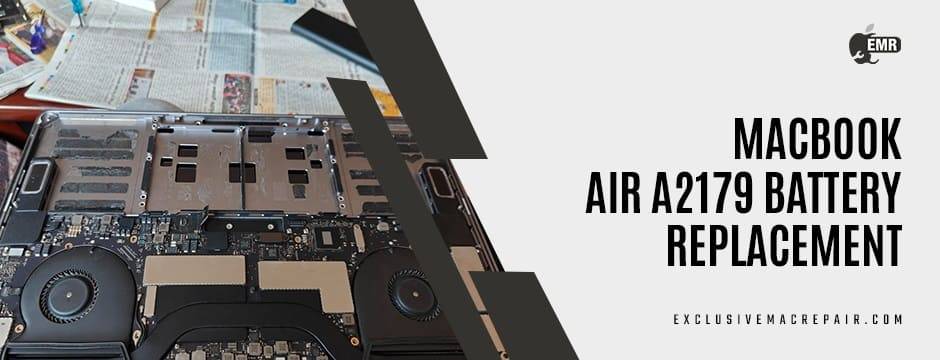
While there are DIY kits available, replacing the MacBook Air A2179 battery is not recommended for most users. Apple’s compact, glued-in battery design requires professional tools and expertise for safe removal and installation. Attempting a DIY replacement could:
- Damage your device’s internal components
- Void any existing warranty or AppleCare coverage
- Lead to improper installation and short battery life
The safest and smartest choice is to opt for professional MacBook battery replacement services.
Why Choose Professional Services for Battery Replacement
Choosing a professional repair centre, like Exclusive Mac Repair, offers several benefits:
- Genuine Parts: Only original Apple-grade batteries are used for replacements.
- Trained Technicians: Certified experts ensure safe and proper installation.
- Quick Turnaround: Most battery replacements are done in a few hours.
- Warranty Included: Enjoy peace of mind with service and part warranties.
- Data Safety: Your data stays safe with professionals who know how to handle sensitive Mac components.
These advantages outweigh the potential risks of going to unauthorised shops or attempting a DIY job.
How to Check Battery Health on macOS?
Before you even visit a technician, macOS lets you monitor battery health yourself:
- Click the Apple Menu.
- Select About This Mac > System Report > Power.
- Under Battery Information, look at the Cycle Count and Condition.
- If your cycle count is near or above 1000
- Or if the condition says “Service Battery” or “Replace Soon”
…it’s time to take action.
When Is the Right Time for Replacement?
Don’t wait until your MacBook completely shuts down. The right time to replace the battery is when:
- You’re under 3-4 hours of battery life per full charge
- macOS shows a service warning
- You’re planning travel or extended remote work
- You notice swelling or structural changes in your laptop
Proactively replacing the battery can help you avoid last-minute emergencies.
How Much Does a MacBook Air A2179 Battery Replacement Cost in India?
Battery replacement costs depend on several factors, like:
- Whether the battery is original or third-party
- Labour costs of the service centre
- Any additional service, like cleaning or diagnostics
Exclusive Mac Repair offers a competitive MacBook Air a2179 battery price with no compromise on quality. You get genuine Apple-grade batteries installed by experienced technicians with quick turnaround times.
| Model | Battery | Doorstep Service Facility | Fitting & Installation |
| MacBook Air a2179 | INR 5200 | Yes | INR 1200 |
How to Book a Battery Replacement at Exclusive Mac Repair?
It’s simple and convenient:
- Visit us
- Choose “MacBook Battery Replacement” under services
- Submit your device model (MacBook Air A2179)
- Book an appointment or request a pickup/drop-off
Our customer support team will confirm your request and guide you through the process.

Bottom Line
A MacBook is an investment—and keeping it running smoothly requires timely care. If your MacBook Air A2179 is showing signs of battery degradation, don’t wait for it to affect your productivity or pose a safety risk. Ensure to do MacBook Air A2179 Battery Replacement before it becomes a bigger issue.For dependable, affordable, and expert service in India, trust Exclusive Mac Repair. Our genuine Apple-grade batteries, certified technicians, and customer-first approach ensure your MacBook Air A2179 is back to peak performance—quickly and safely.