07 Oct 2026
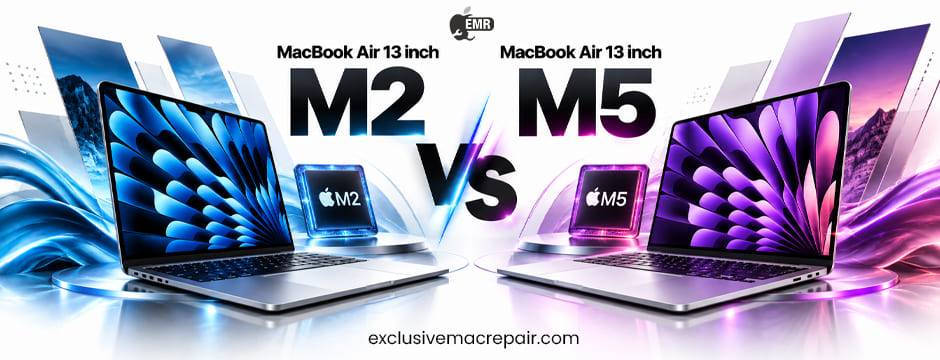
The MacBook Air has changed significantly since Apple introduced the M2 model. In 2026, the 13-inch MacBook Air with the M5 chip brings a newer generation of performance, efficiency, connectivity, and intelligent features. But does that automatically make it a worthwhile upgrade for someone who already owns an M2 MacBook Air? Not necessarily. The answer depends on how you use your Mac, the applications you run, battery expectations, display and camera requirements, and how much value you place on newer hardware. This MacBook Air 13 inch M2 vs MacBook Air 13 inch M5 comparison explores the major differences to help you decide whether upgrading makes sense in 2026.
MacBook Air 13 inch M2 vs MacBook Air 13 inch M5: At a Glance
The M2 MacBook Air remains a capable everyday laptop. It offers a slim design, excellent battery life, a sharp Liquid Retina display, MagSafe charging, and enough performance for browsing, office work, studying, content consumption, and many creative tasks.
The M5 MacBook Air represents a newer generation. Its biggest advantage is not simply that the processor has a higher number. Apple has continued improving CPU performance, GPU capabilities, memory handling, efficiency, connectivity, and features designed around modern computing workloads.
| Feature | MacBook Air 13-inch M2 | MacBook Air 13-inch M5 |
| Chip | Apple M2 | Apple M5 |
| Display | 13.6-inch Liquid Retina | 13.6-inch Liquid Retina |
| Design | Thin and lightweight | Thin and lightweight |
| Fan | Fanless | Fanless |
| Charging | MagSafe | MagSafe |
| Camera | 1080p FaceTime HD | Newer-generation camera system |
| Best for | Everyday users and students | Power users and future-focused buyers |
| Upgrade value | Still strong in 2026 | Better long-term option |
The exact configuration you choose also matters. RAM and storage can significantly affect the useful life of either machine.
Performance: M2 vs M5
Performance is one of the biggest differences between these two generations. The M2 already transformed the MacBook Air into a highly capable laptop. It handles everyday applications smoothly and can manage demanding workloads such as photo editing, programming, multitasking, and moderate video editing. The M5 moves the MacBook Air into a newer performance generation. Improvements in CPU and GPU architecture can provide better performance for demanding applications while maintaining the efficiency expected from Apple silicon.
For basic activities such as Chrome browsing, Microsoft Office, email, video calls, and streaming, however, the difference may not feel dramatic. If you regularly compile large projects, edit high-resolution video, work with large creative files, or run multiple demanding applications simultaneously, the M5 makes a stronger case.
Verdict: M5 wins, but M2 remains fast enough for everyday computing.
Battery Life and Efficiency
Battery life has always been one of the strongest reasons to choose MacBook Air 13 Inch M2 vs MacBook Air 13 Inch M5. Both generations benefit from Apple’s focus on power efficiency. The M2 MacBook Air can comfortably handle a typical working or studying day under suitable usage conditions. The M5 continues Apple’s emphasis on performance per watt. Newer silicon can deliver more processing capability without turning the MacBook Air into a power-hungry machine.
However, actual battery life depends heavily on workload. Bright displays, demanding applications, video editing, gaming, browser tabs, external displays, and background processes can all affect endurance. If your M2 battery is still healthy, battery life alone may not justify upgrading.
Verdict: M5 has the advantage in efficiency and newer battery technology, but M2 owners with good battery health can continue using their machine.
Display Experience
The 13-inch MacBook Air’s Liquid Retina display remains one of its biggest strengths. The M2 model introduced the modern MacBook Air design with a larger 13.6-inch display, slim bezels, and a notch. It provides excellent sharpness, brightness, and colour reproduction for everyday work and creative activities.
The M5 model retains the familiar 13-inch-class Air experience while bringing newer hardware and display-related improvements. For someone moving from an older Intel MacBook, the difference is substantial. But for an M2 owner, the display experience is already modern. Therefore, don’t upgrade from M2 to M5 purely because you expect a completely different screen.
Verdict: Relatively close for general users.
Design and Portability
One reason the MacBook Air became so popular is its portability. The M2 MacBook Air introduced Apple’s flatter modern Air design. It looks considerably different from the older wedge-shaped models and remains thin and easy to carry. The M5 continues the lightweight Air philosophy rather than completely redesigning the computer.
This means a MacBook Air 13 inch M2 owner shouldn’t expect a revolutionary physical transformation when moving to M5. If you already love the size, keyboard, trackpad, and portability of the M2 Air, the M5 should feel familiar.
Verdict: M5 is newer, but M2 owners don’t need an upgrade for design alone.
Camera and Video Calls
Video conferencing has become an essential part of work and education. The M2 MacBook Air includes a 1080p FaceTime HD camera, which represents a major improvement over Apple’s older 720p laptop cameras. Newer MacBook Air generations continue improving camera capabilities and software-assisted video experiences.
For people who frequently attend Zoom meetings, Google Meet calls, online classes, interviews, or client presentations, camera improvements can have practical value. However, the M2 camera is still perfectly usable for most video calls.
Verdict: M5 offers a more future-oriented experience, but M2 isn’t outdated for video conferencing.
Connectivity and External Displays
Connectivity is another area where newer MacBooks can provide meaningful improvements. The M2 MacBook Air supports MagSafe charging, Thunderbolt/USB 4 connectivity, and wireless connectivity suitable for modern accessories. Newer generations can bring improvements to wireless standards and external-display support depending on the specific configuration and model generation.
This matters particularly to professionals who connect their MacBook to monitors, docks, storage devices, cameras, and other peripherals. If your current M2 setup already works well with your accessories, connectivity alone may not be enough to justify replacing the laptop.
Apple Intelligence and Modern Workloads
One of the more important reasons to consider newer hardware in 2026 is the changing nature of computing. Modern laptops increasingly use on-device machine learning and intelligent processing for tasks such as image processing, writing assistance, transcription, organisation, and other productivity features. The M5’s newer architecture is designed with modern workloads in mind.
Its Neural Engine and overall processing architecture provide a stronger foundation for demanding intelligent features and applications. This doesn’t mean the M2 suddenly becomes unusable. Rather, the M5 provides more headroom for the next several years. For people buying a new MacBook in 2026, this future-readiness is an important consideration.
M2 vs M5 for Students
Students generally don’t need the most powerful MacBook available.
If your workload includes:
- Web browsing
- Microsoft Office
- Google Workspace
- Online classes
- Research
- Presentations
- Programming
- Streaming
- Note-taking
the M2 MacBook Air can still be an excellent choice.
However, if you’re buying a laptop that you expect to keep throughout several years of university, the MacBook Air 13 inch M5 offers greater long-term performance headroom.
Best choice: Keep an existing M2. Choose M5 if buying new and the price difference fits your budget.
M2 vs M5 for Professionals
Professionals should evaluate their specific workload. For email, spreadsheets, presentations, browser-based applications, meetings, and business software, the M2 remains more than capable.
Creative professionals have a stronger reason to consider the M5. Video editors, photographers, developers, designers, and users working with large datasets can benefit more from newer processing capabilities. If your M2 regularly slows down during your work, an upgrade makes considerably more sense.
Should You Upgrade From M2 to M5 in 2026?
The answer depends on your current experience.
Stay With M2 If:
Your MacBook Air still feels fast, battery health is good, you mainly perform everyday tasks, and you don’t need newer connectivity or additional performance.
There is no reason to replace a perfectly functional M2 simply because a newer chip exists.
Upgrade to M5 If:
You need substantially more performance, regularly work with demanding applications, want a newer machine for long-term use, need improved support for modern workloads, or your M2 is showing signs of age.
An upgrade is also easier to justify if you can sell or trade in your M2 at a good value.
M2 vs M5: Which MacBook Air Should You Buy in 2026?
If you’re buying your first MacBook Air, the M5 is the more sensible long-term purchase if your budget allows it. If you already own an M2 MacBook Air, however, the decision is different. The M2 remains a highly capable computer in 2026. Basic users may not notice enough difference to justify replacing it.
The M5 becomes more compelling for professionals, creators, developers, and people who want to keep their laptop for many years. Ultimately, the best upgrade is the one that solves an actual limitation. If your M2 does everything you need, keeping it may be the smarter decision.
Bottom Line
The MacBook Air 13 Inch M2 vs MacBook Air 13 Inch M5 comparison shows that the M5 is the better long-term machine, but that doesn’t make the M2 obsolete. The M2 remains powerful, portable, efficient, and suitable for most everyday workloads in 2026. Upgrade to the M5 if you need additional performance, newer capabilities, or greater future readiness. Otherwise, your M2 can continue serving you well.
If your MacBook Air is experiencing battery problems, charging issues, display faults, keyboard problems, slow performance, or other hardware concerns, professional servicing may be a better option than immediately replacing the device. For MacBook troubleshooting, repairs, upgrades, and maintenance, visit Exclusive Mac Repair for professional Mac repair services.