03 Sep 2026
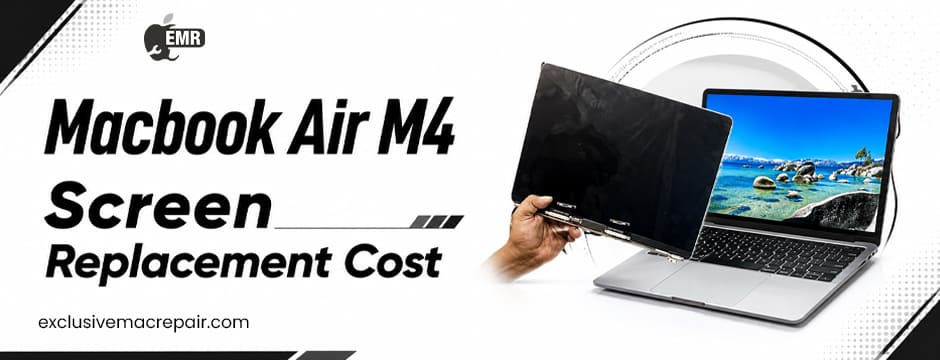
| Model | Service | Price |
| MacBook Air M4 | Screen Replacement | Starting from Rs 26500 |
A damaged MacBook Air M4 screen can quickly disrupt your work, studies, entertainment, or everyday tasks. From accidental cracks and black spots to flickering, lines, and complete display failure, screen issues can happen for several reasons. However, the cost of replacing a MacBook Air M4 screen is not determined by one factor alone.
The final MacBook Air M4 Screen Replacement Cost can depend on the exact type and extent of damage, replacement display quality, technician expertise, labour, warranty coverage, and whether other internal components have also been affected. Understanding these factors can help you make a more informed decision when choosing a repair service.
MacBook Air M4 Model
The specific MacBook Air M4 model you own is one of the first things that can influence the replacement cost.
The M4 MacBook Air is available in two primary display sizes:
- 13.6-inch MacBook Air M4
- 15.3-inch MacBook Air M4
The 13.6-inch model has a 2560 × 1664 resolution, while the 15.3-inch version has a 2880 × 1864 resolution. Both feature Liquid Retina technology, 224 pixels per inch, 500 nits of brightness, Wide colour (P3), and True Tone.
Because the physical dimensions and display assemblies are different, replacement requirements can vary between the two models. Therefore, a technician needs to identify your exact model before providing a reliable estimate.
Type of Screen Damage
The condition of the display is another major factor.
Not every screen problem requires the same repair process. For example, a MacBook may experience:
- Cracked or shattered display
- Black screen
- Flickering
- Vertical or horizontal lines
- Dead pixels
- Dark or bright spots
- Color distortion
- Backlight issues
- Display failure after an accidental drop
- Damage caused by liquid exposure
A minor display-related issue may sometimes have a different solution from extensive physical damage. In cases where the display assembly itself is damaged, complete replacement may be necessary.
This is why professional diagnosis is important before deciding on a repair.
Quality of the Replacement Display
The type of replacement component used can have a significant impact on the overall MacBook Air M4 Screen Replacement Cost. Different repair providers may offer different replacement-part options. Some may use genuine components, while others may offer compatible third-party alternatives.
For a MacBook Air M4, display quality matters because the original screen is designed around specific characteristics such as:
- Liquid Retina technology
- High pixel density
- Wide color support
- True Tone
- High brightness
- Accurate color reproduction
When discussing a replacement, ask the technician what type of display will be installed. A low-cost replacement may not necessarily provide the same viewing experience or functionality as a high-quality component.
Technician Expertise
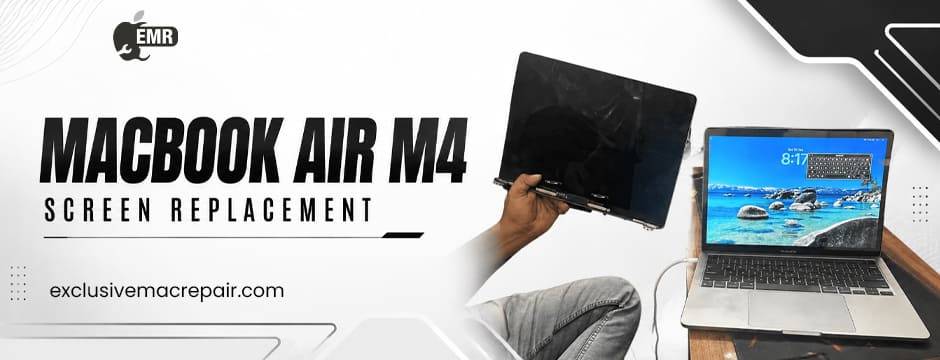
Replacing a MacBook Air M4 display requires precision and experience. Modern MacBooks contain compact components and delicate connections, meaning improper handling during disassembly or reassembly can potentially create additional problems.
Professional repair may involve:
- Initial device inspection
- Diagnostic testing
- Safe removal of the damaged display
- Installation of the replacement component
- Reconnecting internal components
- Reassembling the MacBook
- Testing display functionality
- Checking other features before returning the device
The experience of the technician can therefore influence the overall repair charge. Choosing a provider solely because it offers the cheapest quote may not always be the best approach.
Labour and Diagnostic Charges
The replacement component is only one part of the repair process. Labour may cover the time and expertise required to diagnose the issue, disassemble the MacBook, replace the damaged component, and test the finished repair.
A professional service may also perform additional checks to ensure that the replacement display is functioning correctly.
Before approving a repair, ask whether the quotation includes:
- Diagnostic inspection
- Labor
- Replacement component
- Testing
- Reassembly
- Repair warranty
Understanding what is included can make it easier to compare different repair providers.
Warranty or AppleCare Coverage
Your MacBook’s warranty status can also affect your repair options. If your device has applicable warranty coverage or AppleCare, the service process and charges may differ from those for an out-of-warranty repair.
Accidental damage, however, may be treated differently from manufacturing defects. A cracked screen resulting from a drop should not automatically be assumed to qualify for standard warranty service. Before arranging a repair, check your coverage and ask the repair provider whether the issue falls under any applicable protection plan.
Location of the Repair Service
Where you choose to have the MacBook repaired can also influence the final amount. Repair services in different locations may have different operating expenses, technician availability, component sourcing arrangements, and service processes.
For this reason, two providers may give different estimates for what appears to be the same screen replacement. Instead of comparing only the quoted amount, consider the complete service package, including:
- Parts quality
- Technician experience
- Warranty
- Diagnostic process
- Turnaround time
- Customer support
This provides a more meaningful comparison.
Availability of Replacement Components
Replacement-part availability can influence both the repair timeline and overall expense. If the appropriate display assembly is readily available, the repair may be completed more quickly. If the required component needs to be sourced, the turnaround time could be longer.
The exact MacBook model is particularly important here because different M4 MacBook Air variants may require different display assemblies. Providing the technician with your MacBook model or serial number can help them determine the correct replacement component.
Additional Internal Damage
A damaged display isn’t necessarily the only problem after an accident.
If your MacBook Air M4 was dropped, exposed to liquid, or subjected to significant pressure, other components may have been affected.
Potential additional issues can involve:
- Display connectors
- Internal cables
- Hinges
- Camera components
- Logic-board components
- Sensors
- Other internal hardware
If additional damage is discovered during diagnosis, the overall repair requirement may become more extensive than a straightforward screen replacement.
This is another reason why a physical inspection is preferable to relying solely on an online estimate.
13.6-Inch vs. 15.3-Inch Screen
The display size can directly affect the replacement requirements. The 13.6-inch MacBook Air M4 uses a 2560 × 1664 Liquid Retina display, while the 15.3-inch model uses a 2880 × 1864 display. Both models provide 224 pixels per inch, 500 nits of brightness, Wide colour (P3), and True Tone.
Because these displays have different physical dimensions, replacement parts aren’t interchangeable simply because both devices belong to the M4 MacBook Air family. When requesting a repair estimate, always specify the exact model.
How to Get an Accurate Screen Replacement Estimate
If you want to understand what your MacBook Air M4 screen replacement will involve, provide the repair technician with as much information as possible.
Useful details include:
- Exact MacBook Air model
- Screen size
- Description of the damage
- Whether the MacBook powers on
- Whether the display shows an image
- Whether the damage occurred after a fall or impact
- Whether the device has experienced liquid exposure
- Warranty or AppleCare status
A technician can use this information as a starting point and perform a physical inspection to determine the appropriate repair.
Questions to Ask Before Choosing a Repair Service
Before handing over your MacBook, consider asking:
- Will the entire display assembly need to be replaced? This helps you understand what the repair actually involves.
- What type of replacement component will you use? Ask whether it is genuine or a compatible alternative.
- Is the repair covered by a warranty? Understand what the warranty covers and for how long.
- Are diagnostics included? Some providers may separate diagnostic services from repair charges.
- Will all display features work after replacement? Ask about features such as True Tone, brightness control, and colour performance.
- Could there be additional charges? Clarify whether the quoted estimate could change if other internal damage is discovered.
Is Replacing the MacBook Air M4 Screen Worth It?
Whether screen replacement is worthwhile depends on the overall condition of your MacBook. If the device is otherwise working properly and the primary issue is a damaged display, replacing the screen may be a practical way to restore its usability.
However, if the MacBook has multiple hardware problems, extensive liquid damage, or other significant issues, it may be worth comparing the repair requirement with other options. A professional diagnosis can help you make this decision based on the actual condition of the device rather than assumptions.
Final Thoughts
The MacBook Air M4 screen replacement cost is influenced by several factors, including the exact model, screen size, type of damage, replacement-part quality, technician expertise, labour, warranty status, component availability, and potential internal damage. Since the 13.6-inch and 15.3-inch M4 MacBook Air models use different display assemblies, identifying the correct model is an important first step.
If your MacBook Air M4 has a cracked, flickering, distorted, or non-functional display, Exclusive Mac Repair can help you explore professional MacBook repair solutions. Our repair services can provide a convenient option for getting your device assessed and determining the appropriate next step for restoring your MacBook’s display.
Frequently Asked Questions
What determines MacBook Air M4 screen replacement cost?
Does the MacBook Air M4 screen size affect replacement requirements?
Can a cracked MacBook Air M4 screen be repaired?
Should I use a genuine replacement display?
How can I get an accurate MacBook Air M4 screen replacement estimate?
RAG
What Is MacBook Air M4 Screen Replacement?
MacBook Air M4 screen replacement is the process of removing a damaged display assembly and installing a suitable replacement component. It may be required when the screen has visible cracks, black spots, flickering, lines, dead pixels, colour distortion, or complete display failure. The exact repair depends on the condition of the device and the type of display damage. Since the MacBook Air M4 is available in different screen sizes, technicians should identify the exact model before selecting a replacement component.
How Is MacBook Air M4 Screen Replacement Cost Determined?
The MacBook Air M4 screen replacement cost depends on several factors rather than one fixed amount. The most important considerations include the 13.6-inch or 15.3-inch model, severity of screen damage, replacement display quality, labour requirements, technician expertise, warranty status, and availability of the required component. Additional internal damage caused by drops or liquid exposure can also increase the scope of the repair. A professional diagnosis is therefore the best way to determine what needs to be replaced.
When Should You Replace a MacBook Air M4 Screen?
A MacBook Air M4 screen should generally be assessed for replacement when it has extensive cracks, persistent flickering, distorted colours, dead areas, lines across the display, black spots, or fails to show an image correctly. Continuing to use a severely damaged display may make everyday work difficult and can potentially worsen problems caused by physical damage. Before replacing the screen, a technician should inspect the MacBook to confirm whether the display itself is the source of the problem or whether another internal component is responsible.