11 Dec 2025
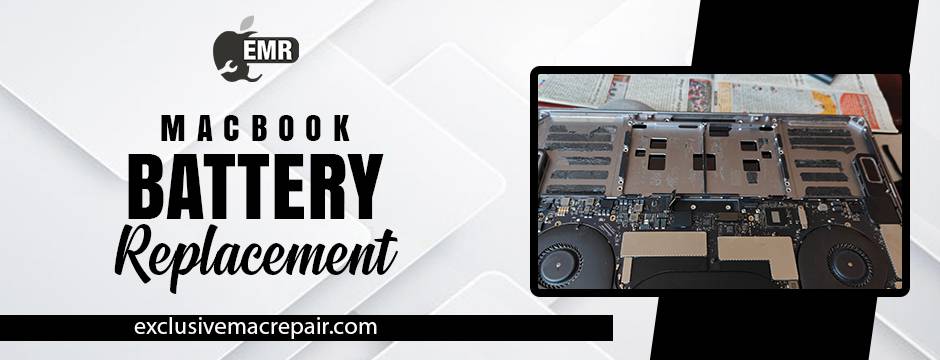
A MacBook is built to be dependable, fast, and portable—but no matter how premium the device, its battery has a lifespan. If you’ve noticed your MacBook draining faster than usual, shutting down unexpectedly, or needing constant charging, chances are the battery is nearing the end of its life. This often leads to a common question among Mac users: Once I replace the battery, how long will the new one actually last?
The answer isn’t as simple as a fixed number of years. MacBook battery longevity depends on several factors, including battery quality, usage habits, charging cycles, and even software behaviour. Apple designs MacBook batteries to retain a significant portion of their capacity over time, but real-world performance can vary widely from one user to another. In this blog, we’ll break down how long a new MacBook battery is expected to last, what “battery cycles” really mean, how daily habits affect battery health, and how you can extend the lifespan of your MacBook battery Replacement at Doorstep service.
Exclusive Mac Repair: The Place for Healthy MacBook Battery Replacement
| Model | Service | Price |
| MacBook | Battery Replacement | Rs. 4800 to 7800 and Installation Charges Rs. 1000 with Doorstep Services |
What Is the Average Lifespan of a New MacBook Battery?
Most modern MacBook batteries are rated for around 1,000 full charge cycles. One charge cycle doesn’t mean plugging in once—it means using a cumulative 100% of battery power. For example, using 50% today and 50% tomorrow equals one cycle.
In practical terms, a new MacBook battery typically lasts:
- 3 to 5 years for average users
- 2 to 3 years for heavy or professional users
- Longer than 5 years with careful usage and optimised charging habits
Apple states that even after 1,000 cycles, the battery should retain roughly 80% of its original capacity. Beyond that, performance may begin to noticeably decline.
Does a Replacement Battery Last as Long as the Original?
This is one of the most important questions, and the answer depends on the quality of the replacement battery done at Right at your Doorstep and the installation process.
A high-quality replacement battery done at Home that meets Apple-grade specifications can last just as long as the original factory battery. However, low-quality third-party batteries may:
- Drain faster
- Overheat
- Lose capacity prematurely
- Cause system performance issues
Professional installation at the Office also matters. Improper fitting or poor calibration can shorten battery life regardless of battery quality. When replaced correctly, a new battery should deliver performance that closely mirrors a brand-new MacBook.
Factors That Affect How Long Your New Battery Lasts
Daily Usage Patterns
What you do on your MacBook greatly influences battery longevity.
Battery-heavy tasks include:
- Video editing
- Gaming
- Running virtual machines
- Keeping dozens of tabs and apps open
Light tasks such as browsing, document editing, and streaming consume far less power and help preserve battery health.
Charging Habits
Your charging routine plays a huge role in MacBook repair in Hyderabad lifespan.
Habits that reduce battery life:
- Constantly keeping the MacBook plugged in at 100%
- Letting the battery drop to 0% frequently
- Using non-certified chargers
Healthier habits include:
- Keeping charge levels between 20% and 80%
- Allowing partial discharge cycles
- Using optimised battery charging features in macOS
Heat Exposure

Lithium-ion batteries degrade faster when exposed to heat. Leaving your MacBook in a hot car, blocking ventilation, or using it on soft surfaces can accelerate battery wear.
MacOS and Background Processes
Outdated software, poorly optimised apps, and background processes can constantly drain power. Keeping macOS updated and checking Activity Monitor for battery-hogging apps can noticeably extend battery life.
Signs Your New Battery Is Performing Well
A healthy MacBook Battery Replacement should:
- Hold charge consistently
- Deliver similar or better screen-on time compared to before
- Charge smoothly without overheating
- Show “Normal” health status in macOS
After replacement, it’s normal for macOS to take a few charge cycles to accurately display battery health.
How to Extend the Life of Your Replacement Battery?
- Enable Optimised Battery Charging in macOS
- Avoid extreme temperatures
- Use original or certified chargers
- Shut down instead of sleeping when not in use for long periods
- Reduce unnecessary startup and background apps
- Calibrate the battery occasionally (full charge → full discharge → full charge)
These small habits can add months or even years to your battery’s usable life.
When Should You Consider Another Replacement?
Even with excellent care, all batteries eventually degrade. You’ll know it’s time to replace again when:
- Battery health drops below 80%
- MacBook shuts down unexpectedly
- You can’t get through a few hours of normal use
- Charging feels unusually slow or inconsistent
Monitoring battery health from time to time helps you avoid sudden failures and data loss.
Final Thoughts
A MacBook battery replacement is absolutely worth it when your device still meets your performance needs. A high-quality replacement battery can last 3–5 years, restore portability, improve speed, reduce overheating, and delay the expense of buying a new MacBook altogether.
If you’re looking for expert MacBook battery replacement using quality components and skilled technicians, consider professional solutions like Exclusive Mac Repair. Learn more about our trusted Mac battery replacement service on our website.
Frequently Asked Questions (FAQ)
1. How long does a new MacBook battery last after replacement?
2. Will a replacement battery perform like the original MacBook battery?
3. How can I check my MacBook battery health after replacement?
4. Does keeping my MacBook plugged in damage the new battery?
5. When should I replace my MacBook battery again?