26 Sep 2025
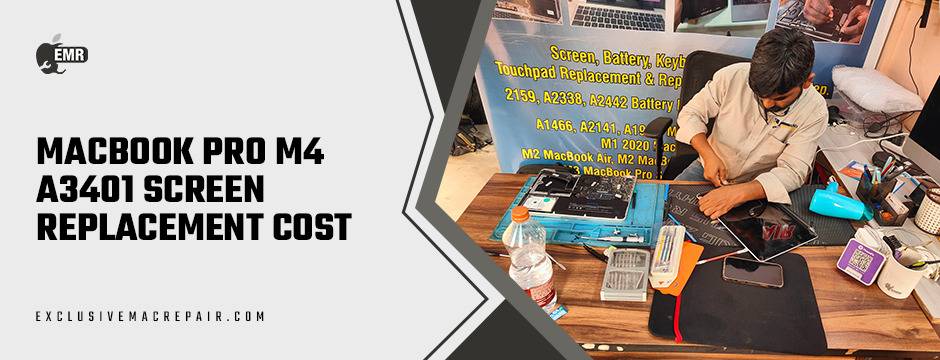
Accidents happen, and when they involve your MacBook Pro M4 A3401 screen, the repair costs can be a significant concern. Whether it’s a cracked display, unresponsive pixels, or a complete screen failure, understanding the replacement costs and available options is crucial. This guide provides an in-depth look at the factors influencing MacBook Pro M4 A3401 Screen Replacement Cost, compares authorised service centres with third-party repair providers, and offers insights into the best choices for MacBook owners in India.
| Model | Service | Price |
| MacBook Pro M4 A3401 | Screen Replacement Costs | Rs. 26500 to 45000 |
Understanding the MacBook Pro M4 A3401 Screen Replacement Cost
Authorized Service Centers
Apple’s official service centres offer genuine parts and professional repairs, but at a premium price. For the MacBook Pro M4 A3401, screen replacement costs typically range from ₹26,500 to ₹45,000 depending on the extent of the damage and warranty status. This price often includes labour, genuine parts, and a limited warranty.
Third-Party Repair Providers
Independent repair centres can offer more competitive pricing without compromising on quality. For instance, Exclusive Mac Repair provides MacBook Pro M4 A3401 Screen Replacement Cost for ₹26,500, including a one-year warranty and free pick-up and drop-off services.
Factors Influencing Screen Replacement Costs
Several elements can affect the overall cost of screen replacement:
- Display Quality: Genuine Retina or Liquid Retina displays maintain the original visual experience, while third-party screens may offer varying quality.
- Technician Expertise: Certified technicians ensure precise installation, avoiding screen misalignment or further issues.
- Warranty Options: Replacements backed by a warranty offer long-term peace of mind.
- Labour Charges: Charges can differ based on the technician’s skill level and the reputation of the repair centre.
- Additional Repairs: If the screen damage has affected other parts like hinges or display connectors, it may increase the overall cost.
Authorised vs. Third-Party Repair Providers
Authorized Service Centers
Pros:
- Use of genuine Apple parts.
- Maintains warranty and AppleCare+ benefits.
- Professional and standardised repair process.
Cons:
- Higher repair costs.
- Longer turnaround times.
- Limited flexibility in pricing.
Third-Party Repair Providers
Pros:
- Competitive pricing.
- Faster service times.
- Potential for high-quality aftermarket parts.
Cons:
- Use of non-genuine parts may void the warranty.
- Varied quality and reliability.
- Limited access to proprietary Apple tools.
Exclusive Mac Repair: Premium Service for Your MacBook
Exclusive Mac Repair offers a specialised and trustworthy solution for MacBook Pro M4 A3401 screen replacements. Unlike generic third-party providers, they focus solely on Apple products, ensuring high-quality repairs using genuine or premium-grade parts. With a team of certified technicians, they guarantee precise installation, minimising risks of misalignment or future issues.
Why Choose Exclusive Mac Repair?
- Expertise: Technicians trained specifically for MacBook models, including the M4 A3401.
- Genuine/High-Quality Parts: Ensures your MacBook maintains its original display quality and performance.
- Warranty: Provides a warranty on both parts and labour, offering peace of mind.
- Convenience: Pick-up and drop-off services available in select cities, saving you time and hassle.
- Competitive Pricing: Offers fair pricing compared to authorised service centres without compromising quality.
For MacBook users who want professional, reliable, and efficient service, Exclusive Mac Repair is a trusted choice, combining affordability with premium repair standards.
Tips for Choosing the Right Repair Provider
- Research: Look for reviews and testimonials from previous customers.
- Warranty: Ensure the provider offers a warranty on the replacement screen.
- Transparency: Choose providers who are clear about pricing and services offered.
- Expertise: Opt for technicians with experience in MacBook repairs.
- Convenience: Consider providers offering pick-up and drop-off services, especially if you’re located outside major cities.
Tips to Maintain Your MacBook Screen After Replacement
Once your MacBook Pro M4 A3401 screen is replaced, proper care can extend its lifespan and prevent future damage.
Key Maintenance Tips:
- Use a Screen Protector: A thin tempered glass or film protector can prevent scratches and minor cracks in your MacBook Pro M4 A3401.
- Clean Gently: Use a microfiber cloth with a small amount of screen-safe cleaner; avoid harsh chemicals.
- Avoid Pressure: Never press too hard on the display, and avoid placing heavy objects on the laptop.
- Close Carefully: Always close the laptop gently to protect the hinges and display alignment.
- Temperature Awareness: Keep the MacBook away from extreme heat or cold, which can affect screen performance.
By following these simple tips, you can ensure your replacement screen remains in excellent condition for years, preserving both functionality and visual quality.
Wrapping Up
MacBook Pro M4 A3401 Screen Replacement Cost doesn’t have to be a daunting or overly expensive process. By understanding the costs involved and exploring both authorised and third-party repair options, you can make an informed decision that balances quality and affordability.
If you’re seeking a reliable and cost-effective solution for your MacBook screen replacement, consider visiting Exclusive Mac Repair. We offer professional services tailored to your needs, ensuring your device is back in optimal condition promptly.